VibeBrowser vs Muse for Chrome: One Browser, Reachable From Anywhere
Muse for Chrome puts Muse in a side panel in the Chrome on your computer. VibeBrowser exposes your real logged-in Chrome as a hosted MCP endpoint, so the assistants you already use, in a web chat, a CLI, an IDE, or a cloud runner, can reach it through one connection.
Today, on my phone, I asked my assistant to place a revised NVDA sell ladder in my Chase account, as a set of GTC limit orders. The assistant answered that it had no connector that could place a trade. It said Muse for Chrome would mean doing the work on my Mac, its cloud browser could reach the Chase sign-in page, and the remaining route was about 30 seconds in the Chase app myself. I replied with one line: "Could you retry through VibeBrowser?"
If your assistant lives outside the browser, it needs your browser reachable as an endpoint it can call. I build VibeBrowser, and vibebrowser.app/mcp is that endpoint for the Chrome where I am already signed in.
The same starting point
Muse for Chrome and VibeBrowser start from the same place. Both work in your own Chrome, on sites you are logged into, with your sessions in place. Both read pages and act on them, clicking, typing, and filling forms.
The public listing for Muse for Chrome describes Muse in a side panel in Chrome. You hand off tasks to it, you approve actions before they happen, and you get a full activity log. You can revoke connectors at any time. Its tabs open in their own group, and Muse acts only in those tabs. The listing also states limits I respect: Muse cannot see saved passwords, browsing history, or Chrome settings.
VibeBrowser is a Chrome extension plus an MCP server and a CLI. A connected agent works in your real Chrome, with your tabs, cookies, and logins in place, using the browser tools the connection exposes.
Reachable from outside the machine
Muse for Chrome is a side panel on one machine, and the work happens in the Chrome in front of you. My assistant in the opening scene was in a phone chat. A side panel gives that assistant nothing to connect to: Muse for Chrome works with Muse itself, in the panel, on that machine.
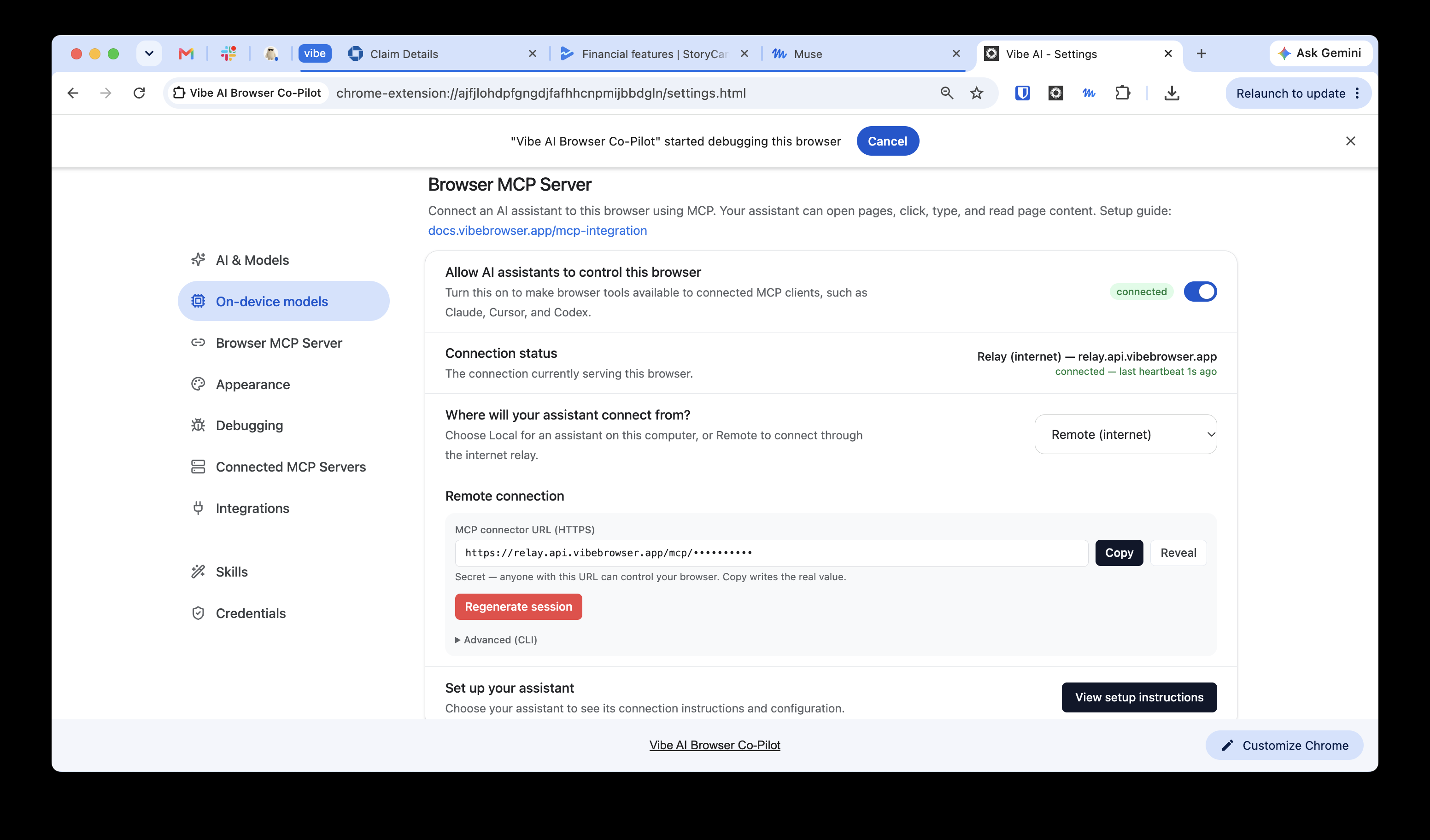
The MCP page describes the VibeBrowser shape in plain terms: your real logged-in browser, exposed as a hosted MCP endpoint, with no local process, no port forwarding, and no VPN. The hosted remote MCP runs over Streamable HTTP and exposes 25 or more browser tools. Remote clients, including a CLI, an IDE, and a cloud runner, use the same hosted endpoint. Chrome itself stays on your machine and runs with the extension loaded, and the endpoint reaches that running Chrome.
The agents you already use, Muse included
Muse for Chrome serves one agent, Muse, from Meta. VibeBrowser serves the agents I already use through one connection. Muse, Claude, ChatGPT, Codex, Claude Code, OpenCode, Dots, and Grok Bots connect to the same Chrome, and multiple agents can share one browser at the same time.
The connection path splits by client. Local and desktop agents add one entry for the @vibebrowser/mcp server to their MCP config. Web agents take a per-user connector URL, https://relay.api.vibebrowser.app/mcp/
Work integrations, provider choice, local models
Muse connects email, calendar, Instagram, Facebook, and finances. VibeBrowser connects the set I work in during the day: Gmail, Google Calendar, Notion, Slack, and GitHub, listed on the integrations page.
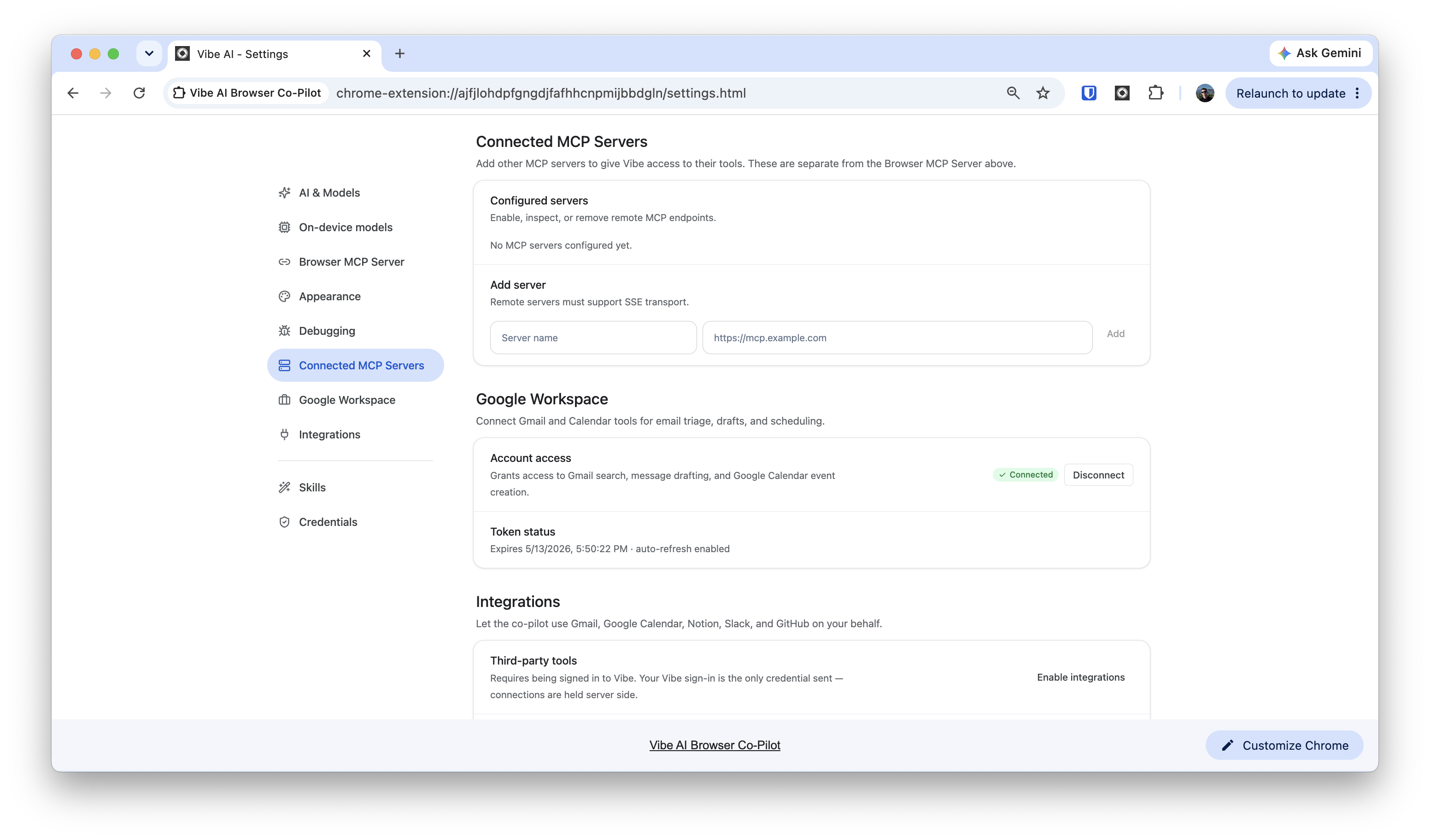
Provider choice sits in Settings under AI & Models: Vibe AI, Claude Max, GitHub Copilot, OpenRouter, Ollama, or your own key. Gemma 4 E2B and E4B also run on-device through WebGPU, in a private mode where page content stays on the device.
VibeBrowser is free to install, with Pro at $25 per month and Max at $99 per month. Install it, open the MCP settings, and give the connector URL to the assistant you already use, in the chat, terminal, or runner where that assistant runs.