Claude, ChatGPT, and Muse All Have Browser Agents. VibeBrowser Is the One They Can All Drive.
Anthropic, OpenAI, and Meta now each ship a Chrome agent that works in your logged-in browser, the same core job as VibeBrowser. The differences: VibeBrowser accepts any agent over MCP, runs a model on your own machine, and lets you pick the provider.
Three Chrome Web Store listings sat open in my tabs this morning: Claude, ChatGPT, and Muse, Meta's agent, whose extension updated yesterday. I build VibeBrowser, so I read competitor listings the way other founders read release notes. This batch delivered one message three times: the browser agent is a standard product now, and Anthropic, OpenAI, and Meta each want their own copy of your Chrome.
The same job
Claude for Chrome puts Claude in a side panel: it reads the page, clicks, types, navigates, and fills forms while you watch. ChatGPT's extension lets ChatGPT on desktop and web work inside your tabs, in the background, without taking over the session you are using. Muse takes handed-off tasks, with approvals before actions and a full activity log. VibeBrowser does this same work: an agent inside the Chrome you are already logged into, working with your sessions. On the core job the four products are interchangeable, and I will not pretend otherwise.
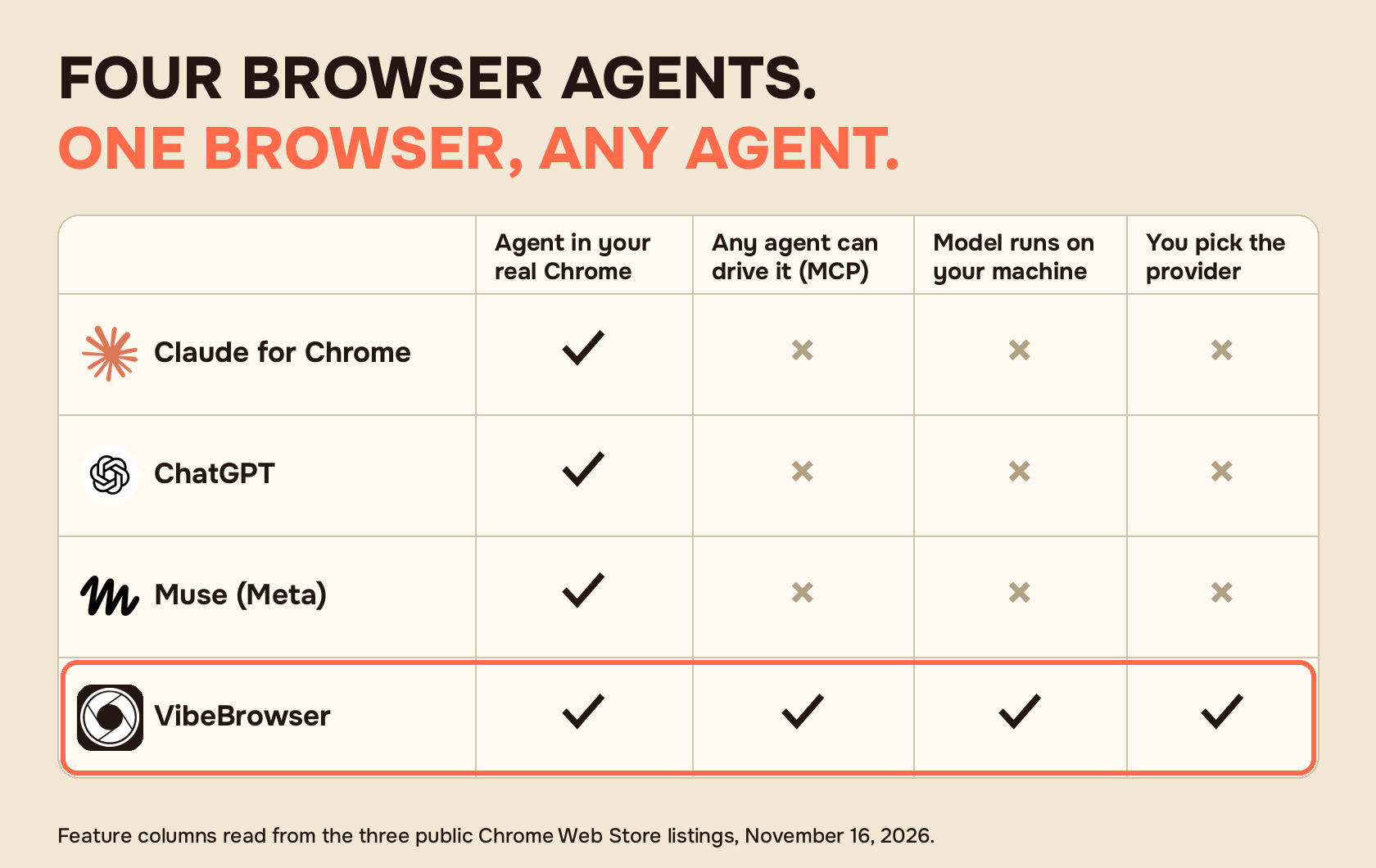
One browser, any agent
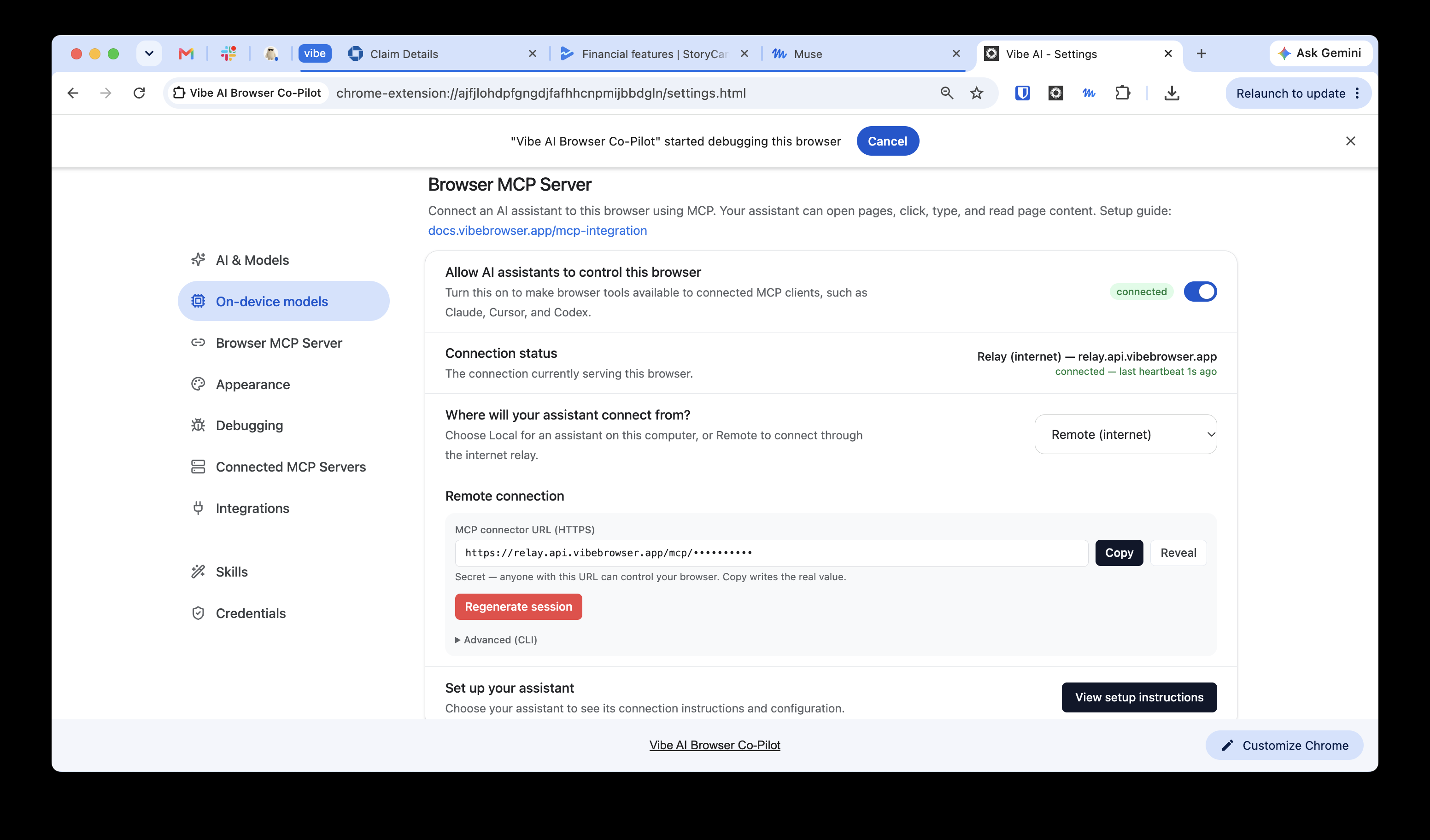
The split starts at who can give the orders. A vendor extension serves its own assistant: Claude's panel is Claude, ChatGPT's extension is ChatGPT, Muse is Meta's agent. VibeBrowser also runs as an MCP server. MCP is the standard plug agents use to reach outside tools. In Settings, under Browser MCP Server, the extension shows one connector URL.
Claude on the web, ChatGPT, and Grok take the URL pasted into their connector setup; ChatGPT shows that field on a paid plan. Muse takes it in chat: copy the full MCP connector URL from the extension and send Muse one message containing it. The session ID is already in the URL path; there is no API key, authorization header, or second secret, and Muse should not ask for a credential. Coding agents (Codex, Claude Code, OpenCode) take the same server in their MCP config; Dots, the always-on agents inside ChatGPT, connect through the ChatGPT setup and need a Pro or Business Premium plan.
Status: the Claude and ChatGPT pairings are verified, ChatGPT on a paid plan. The Muse guide is marked verification-pending on its own page; a full end-to-end run with a live Muse account is still being verified. The connector is documented on the MCP page, with per-agent guides on the integrations page.
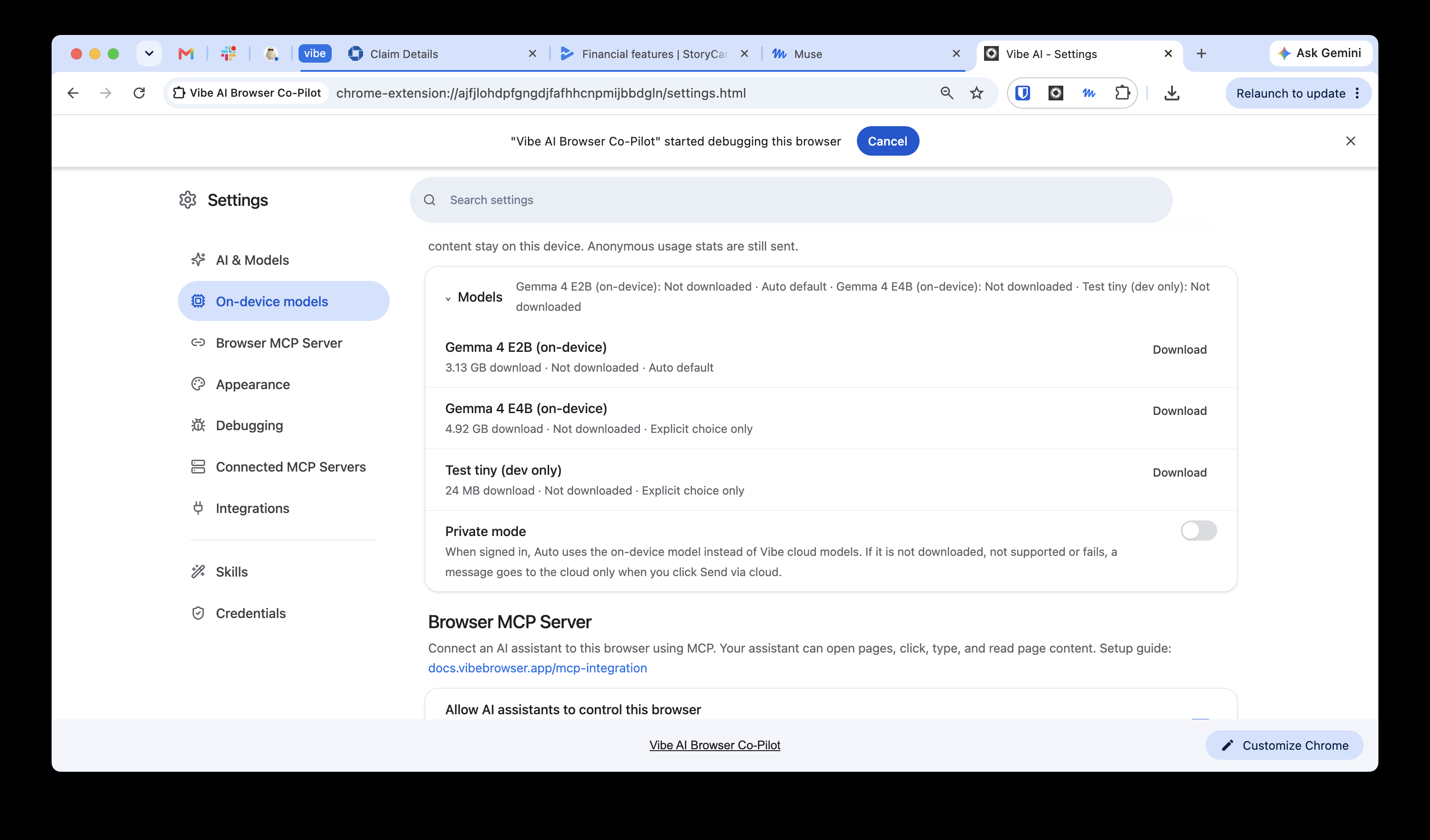
A model that runs on your machine
VibeBrowser carries its own models. In Settings → On-device models, Gemma 4 E2B (3.13 GB) and E4B (4.92 GB) are downloads that run locally through WebGPU. The Private mode toggle sits on the same screen. Turn it on and the agent runs on the on-device model: chats and page content stay on the device, and anonymous usage stats are still sent. If the model is not downloaded, not supported, or fails, a message goes to the cloud only when you click Send via cloud. None of the three listings I read this morning mentions a model that runs on your machine.
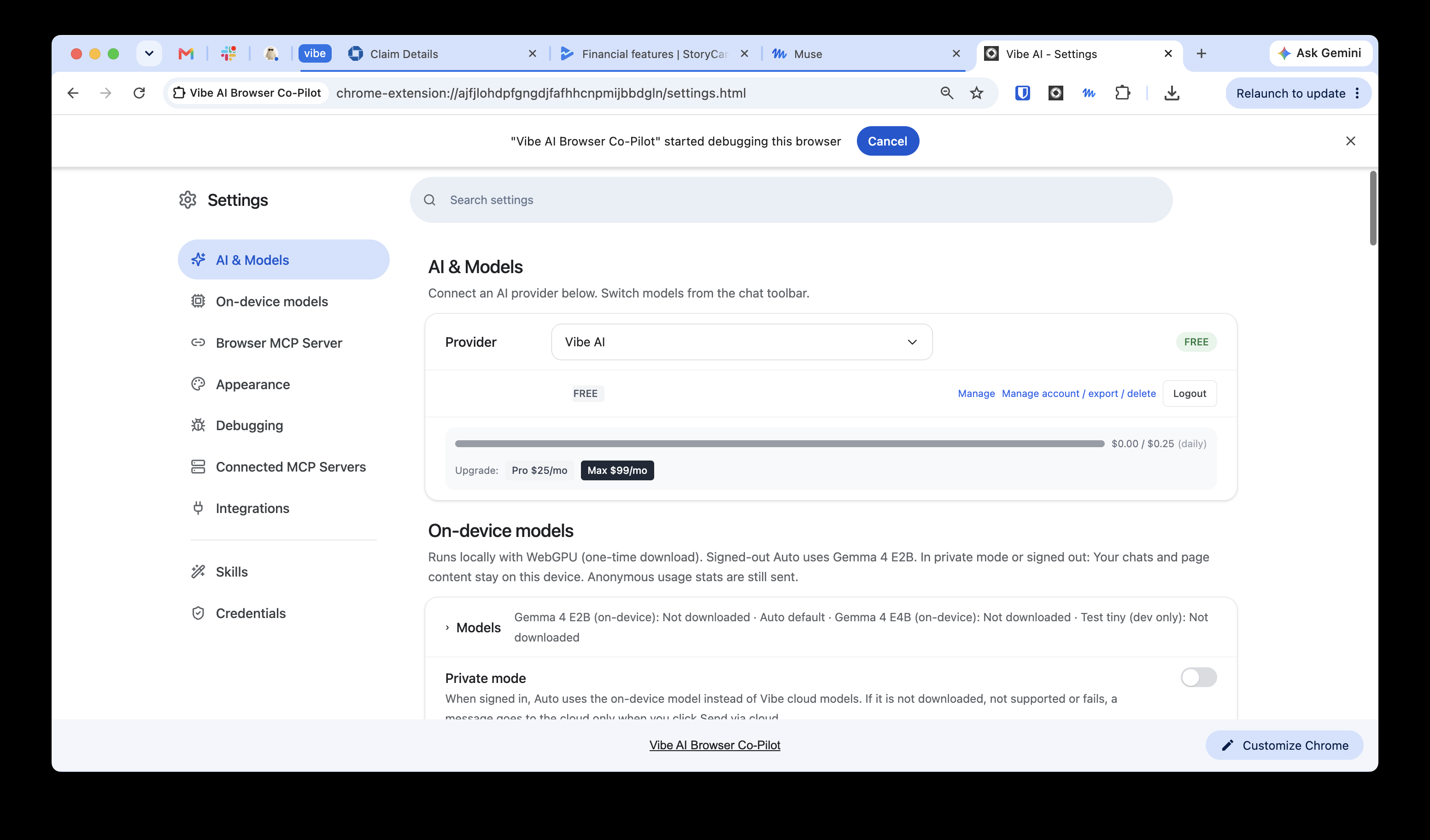
Pick the provider
The provider dropdown in Settings → AI & Models defaults to Vibe AI. The same dropdown takes three sign-in providers (GitHub Copilot, Claude Max, OpenRouter), 18 API-key providers, and the local options: Ollama on your own machine, an OpenAI-compatible endpoint by URL, or Bring Your Own Model. A subscription you already pay for can be the brain. So can a model running on your own hardware.
Integrations: the work apps
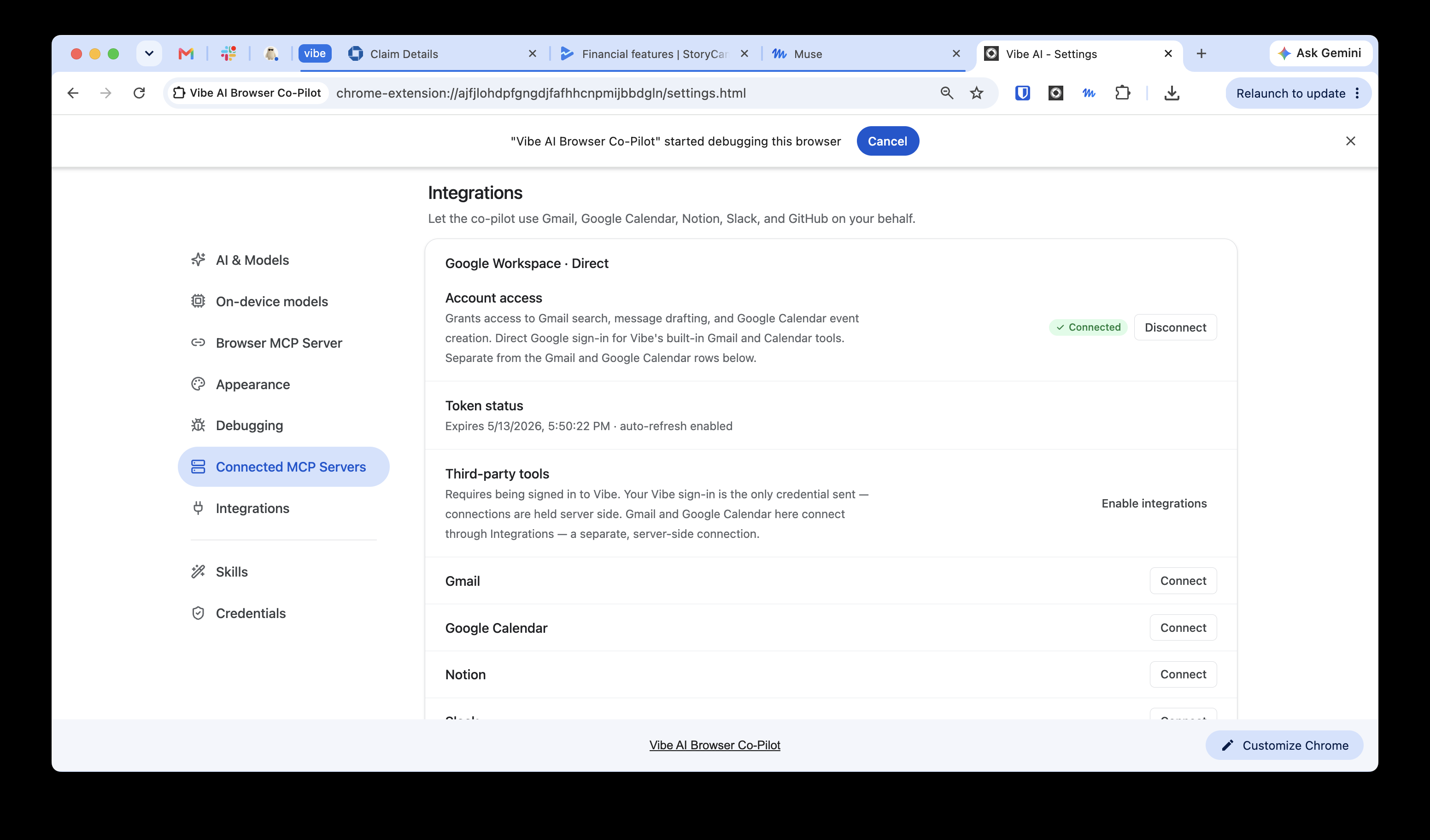
Muse's listing leads with email, calendar, Instagram, Facebook, and finances. VibeBrowser's Integrations page covers the work set: Gmail, Google Calendar, Notion, Slack, and GitHub, with a direct Google Workspace grant for the built-in co-pilot. The full list lives on the integrations page.
If you pay for Claude, ChatGPT, or Muse and like the agent, keep it. VibeBrowser is a browser it can work through, and the install is free. Setup pages: VibeBrowser for Muse, for Claude, for ChatGPT.