VibeBrowser vs Claude for Chrome: Keep Claude, Give It Your Whole Browser
Claude in Chrome runs in a paid-only side panel built for Claude alone. VibeBrowser keeps Claude as the brain through a Claude Max sign-in or an MCP connection and leaves the same Chrome open to other agents at the same time.
I let Claude in Chrome work through a supplier form in the side panel, with Gmail and the source document open in the same window. It read the page, clicked through the fields, and filled the form in order. Then I wanted a second agent, in my terminal on a related task, to check the confirmation page in that logged-in session. It had no way in. The panel belongs to Claude only.
I build VibeBrowser. My claim is plain: if Claude is the agent you trust, keep it. The limit worth removing is the panel, because the same Claude can drive a browser other agents can also use.
The same job, in the same Chrome
On the core work, the two products overlap. The Chrome Web Store listing, under the name Claude and labeled Claude in Chrome (Beta), describes Claude in a side panel that reads pages, clicks, types, navigates, and fills forms. It also lists multi-step workflows, multi-tab workflows, planning mode, scheduled tasks, and a record-a-workflow feature. Skills and connectors work inside the panel, and there is a Claude Code integration.
VibeBrowser does that same core work in the Chrome you already use, with your tabs, cookies, and logins in place. A connected agent can navigate, go back and forward, click, type and fill, scroll, take a screenshot, get page content, manage tabs, use keyboard shortcuts, and run a web search. Page snapshots come back as markdown, rather than raw HTML.
The listing also sets two boundaries. Claude in Chrome is available to all paid subscribers, so paid plans only. It is not supported on other Chromium browsers or on mobile.
Claude as the brain, without the panel limit
VibeBrowser gives you two ways to keep Claude in charge.
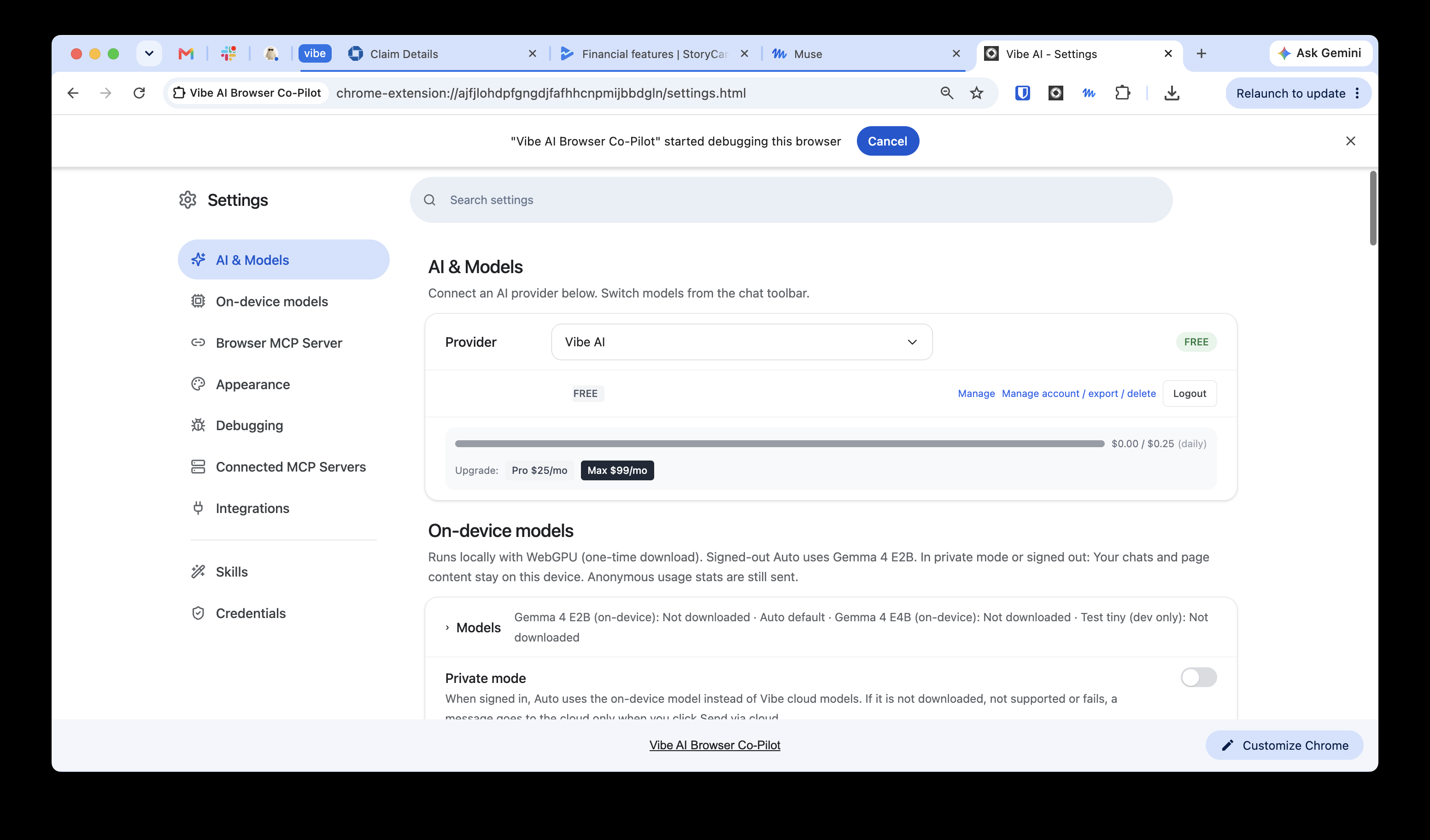
The first stays inside the extension. In Settings, under AI & Models, the Provider dropdown lists Vibe AI, Claude Max, GitHub Copilot, OpenRouter, Ollama, or your own key (BYOK). Pick Claude Max, sign in with the subscription you already pay for, and that subscription becomes the brain.
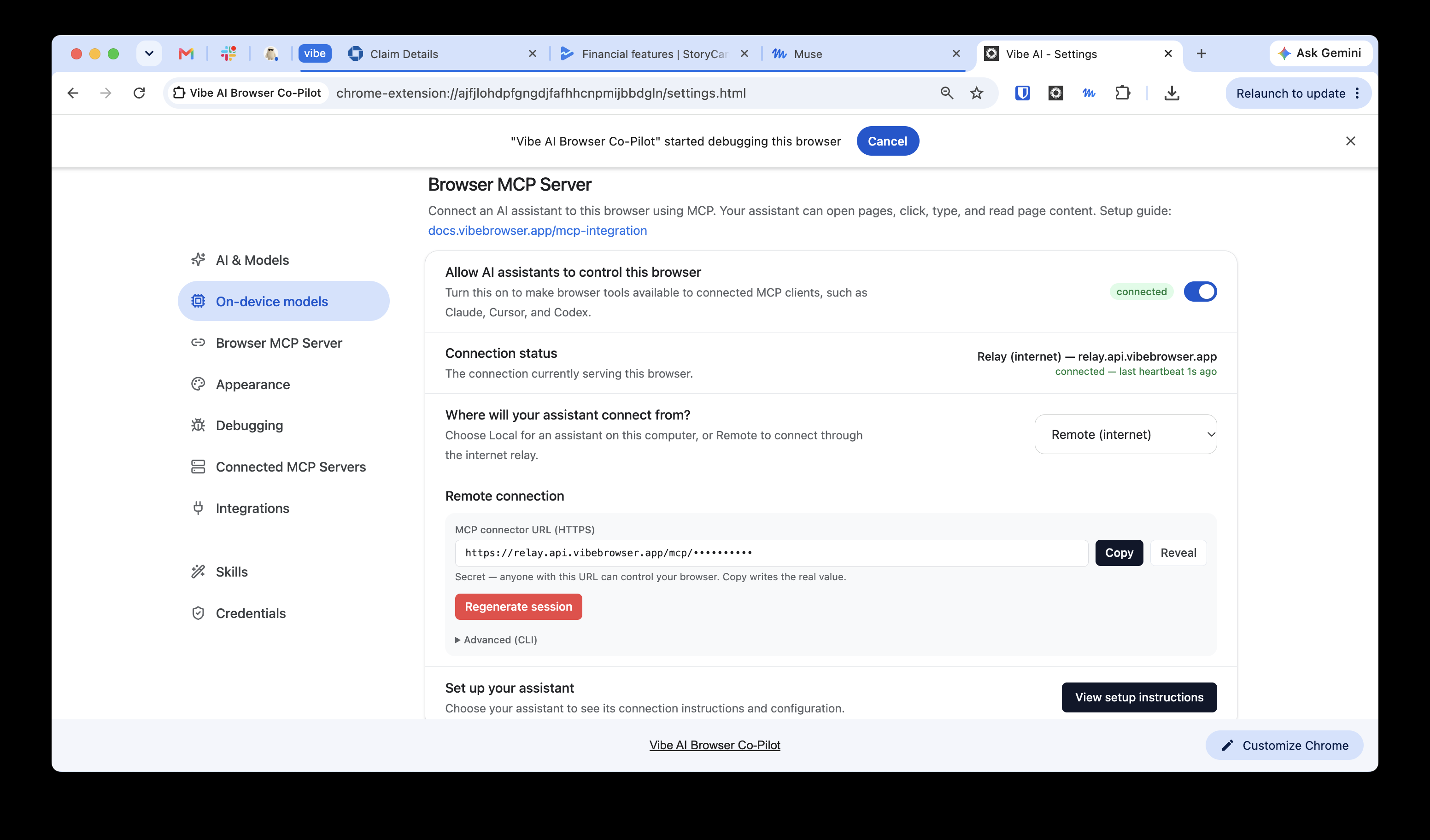
The second way connects your existing Claude client to the browser. I covered how the MCP connection works in the comparison of all four browser agents, so here is only the part that changes by client. Local and desktop agents, including Claude Desktop, Claude Code, Codex CLI, Cursor, and OpenCode, add one entry for the @vibebrowser/mcp server to their MCP config. Web agents that cannot run a local server, including Claude or ChatGPT in a tab and Muse, take a single connector URL instead. For ChatGPT in a tab, the web connector field appears on a paid ChatGPT plan, and the Claude and ChatGPT pairings are the tested path. The Muse connector is guide-verified, not live-verified end to end, and a full end-to-end run with a live Muse account is still being verified.
That URL has the shape https://relay.api.vibebrowser.app/mcp/<routing-uuid>, with Authentication set to No Auth and no header or OAuth step. The URL itself is the credential. Treat it like a password, and regenerate it in Settings → Browser MCP Server if it leaks. Regenerating revokes the old URL. Guides: VibeBrowser for Claude, VibeBrowser for Muse, and the MCP page.
A browser other agents can still use
Multiple agents can share one VibeBrowser instance at the same time. Claude can finish a research pass in one tab while Codex checks a staging page in another tab, in the same logged-in Chrome, each using the tools listed above. You switch models and agents without switching browsers.
The built-in integrations are Gmail, Google Calendar, Notion, Slack, and GitHub, listed on the integrations page. They sit behind the same connection whichever agent you send in.
VibeBrowser is free to install, with a free tier included. Paid plans are Pro at $25 per month and Max at $99 per month for hosted capacity. Install it, connect the Claude you already use through the Claude Max sign-in or through MCP, and run the form or multi-tab check you ran in the panel yesterday. Claude keeps working in the same logged-in Chrome, and the other agents you use can work in it too.