OpenClawBot Team Profiles: How We Run Support, Growth, Engineering, and DevOps with Cloud-Managed OpenClaw
A practical, engineer-written playbook for running OpenClawBot team profiles across SupportEngineer, GrowthManager, SoftwareEngineer, DevOpsEngineer, MarketingManager, and FinManager.
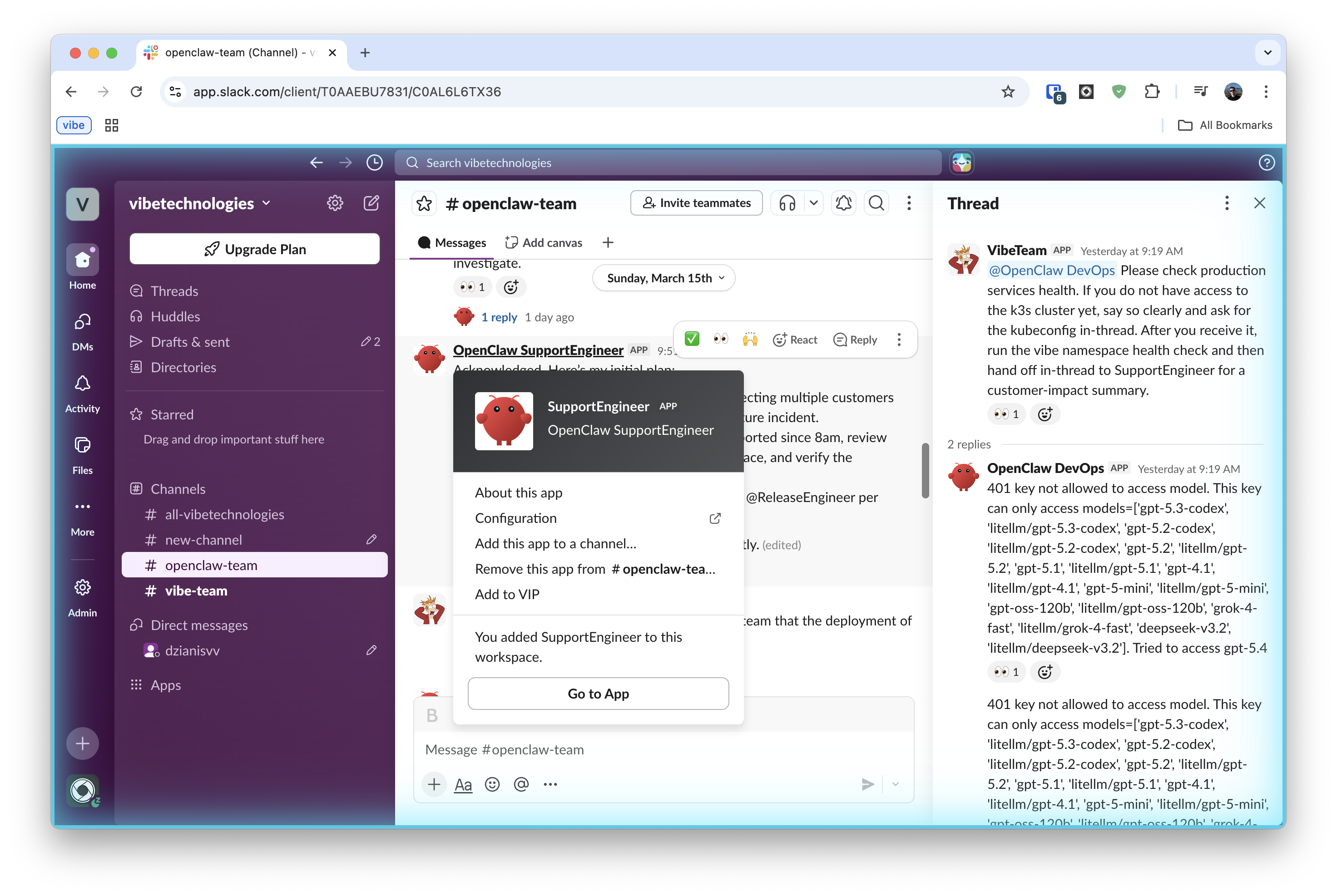
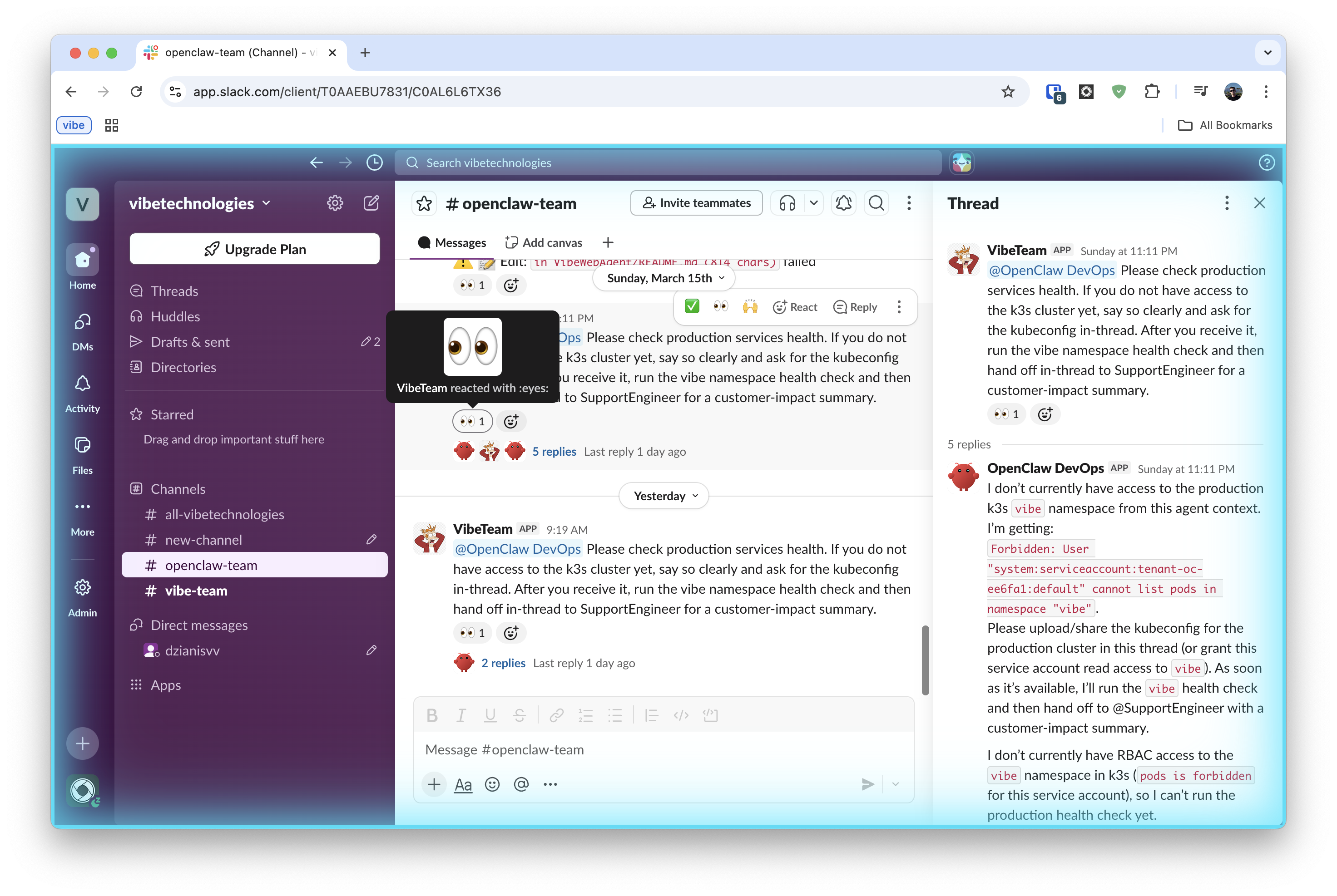
Last week Gilfoyle Bertram flagged a spike in LiteLLM GenAI proxy errors in Sentry during a routine post-deploy scan.
It didn't wait for anyone to notice manually. It pulled the Sentry event details, traced the error to a misconfigured environment variable in the proxy config, and handed the task off to DevOpsEngineer with a full context packet: error class, affected routes, and a diff of the last config change.
DevOpsEngineer investigated the gap, opened a PR with the fix, and tagged SoftwareEngineer for review. SoftwareEngineer left two comments — one on the variable scoping, one on the rollout order — and DevOpsEngineer addressed both in a follow-up commit. The PR merged clean.
Once the fix was live and Sentry confirmed error rates back to baseline, DevOpsEngineer handed back to SupportEngineer with a short status: what broke, what was fixed, and which customers to notify. SupportEngineer drafted and sent the outbound email.
I saw the closed loop in Slack. I didn't touch it.
That is how OpenClawBot team profiles work for us: one cloud-managed OpenClaw deployment, now available as AgentPod, six role-specific agents, clear ownership, and strict handoff rules.
I wrote this post as an implementation guide, not a concept piece. It has two parts: operating model (how the roles, skills, and handoffs are designed) and integration setup (how to wire each role into Slack, GitHub, Sentry, Linear, and Google Drive). If you just want the managed version without manual config, skip to Hire the team.
TL;DR
- Six role-specific agents — SupportEngineer, DevOpsEngineer, SoftwareEngineer, GrowthManager, MarketingManager, FinManager — on one OpenClaw deployment.
- Each role has locked tool access, a skills list, and explicit handoff rules. Agents cannot drift into each other's lanes.
- Gilfoyle Bertram carries the scheduled heartbeat for DevOps incident scanning — it checks Sentry every 15 minutes and delegates, not just alerts.
- GPT-5.3-Codex (xhigh reasoning) for engineering roles, GPT-5.4 for support and finance, Grok-4.1 for speed. Model choice is per-role, not per-request.
- Want this without the setup work? → agentpod.agentlabs.cc
Contents
Part 1 — Operating model
- Why we stopped using one general-purpose agent
- Team structure
- Team setup in the console
- Skills by role
- Handoff matrix
- Model routing
- Operating rules
Part 2 — Integration setup
Part 3 — Putting it together
Why we stopped using one general-purpose agent
We started with a single "do everything" setup. It looked efficient, but the failure modes were expensive:
- Customer and engineering work mixed in one queue. Urgent support replies got delayed by technical tasks.
- No clear owner. Escalations came late because responsibilities were implicit.
- Analysis without delivery. The system could identify a likely bug, but nobody owned creating the issue and PR.
- Infra incidents interrupted support flow. A restart task could block customer follow-up.
The fix was boring but effective: split roles, lock tool access by role, and require explicit handoffs.
Team structure: one profile, one lane
| Team profile | Primary scope | Typical outputs |
|---|---|---|
| SupportEngineer | Customer replies, ticket triage, refund workflows | Customer resolution notes, refund confirmations, escalation packets |
| GrowthManager | Lifecycle messaging and growth experiments | Campaign plans, experiment results, prioritized growth actions |
| SoftwareEngineer | Product bugs and feature work | GitHub issues, implementation PRs, test updates |
| DevOpsEngineer | Reliability, infra incidents, rollout blockers | Incident updates, infra fix PRs, runbook improvements |
| MarketingManager | Positioning, launch content, distribution | Blog drafts, launch copy, channel-specific content |
| FinManager | Bills, accounting, expenses, tax doc preparation | Expense reports, bill receipts in Google Drive, tax summaries, refund analysis |
The narrow scope is intentional. It keeps prompts shorter, decisions clearer, and postmortems easier.
Team setup in the console
Create a Team tenant in the AgentPod console. You get a TEAM_TOKEN that secures the team API.
Two config layers matter:
openclaw.jsondefines agent runtime config, channel bindings, and integration settings.- Role
AGENTS.mdfiles define behavior, permissions, and handoff matrix per profile (profiles/team/agents/<RoleName>/AGENTS.md).
Minimal agent entry in openclaw.json:
{
  "agents": {
    "list": [
      {
        "id": "support-engineer",
        "name": "SupportEngineer",
        "workspace": "/home/node/.openclaw/team-config/SupportEngineer",
        "agentDir": "/home/node/.openclaw/team-config/SupportEngineer"
      }
    ]
  }
}
Every role has its own AGENTS.md. We also keep a shared AGENTS.md for global rules: escalation, message format, and handoff behavior.
Skills by role (this is where behavior really changes)
Different prompts are not enough. We mount different skills and tools per role.
Here is the quick comparison — details follow below:
| Role | Unique tools / skills | Key guardrail | Handoff target |
|---|---|---|---|
| SupportEngineer | Gmail, Sentry read, refund workflow | No refund without verification | @SoftwareEngineer or @DevOpsEngineer |
| SoftwareEngineer | GitHub PRs, sentry-response skill |
No deploy without PR review | @DevOpsEngineer for rollout |
| DevOpsEngineer | kubectl, Sentry correlation, heartbeat Sentry scan |
No cluster write without explicit task | @SupportEngineer post-incident |
| GrowthManager | Campaign tooling, experiment tracking | No infra or customer PII access | @MarketingManager for external comms |
| MarketingManager | Content drafting, distribution tools | Approval required before publish | Human for final sign-off |
| FinManager | gdrive-cli, billing exports, expense reconciliation |
Approval required for any write action above threshold | Human for payment actions |
SupportEngineer: customer flow + Sentry context + refund safety
SupportEngineer can read Sentry context (curl + sentry-cli) and uses Gmail context at session start. Refunds go through an explicit workflow:
curl -X POST http://127.0.0.1:3001/admin/api/refund \
  -H 'Content-Type: application/json' \
  -d '{"telegramId": 123456789, "chargeId": "charge_id_here", "token": "$ADMIN_SECRET"}'
Guardrails are strict:
- find the charge from system data first,
- never refund from memory,
- confirm refund success in both internal records and customer channel.
SoftwareEngineer: `sentry-response` skill
SoftwareEngineer owns the full issue loop: investigate, patch, PR, and issue closure.
profiles/team/agents/SoftwareEngineer/skills/sentry-response/SKILL.md
Typical commands:
sentry-cli issues list --project <PROJECT_SLUG> --query "is:unresolved age:-24h"
sentry-cli issues info ISSUE_ID
sentry-cli issues resolve ISSUE_ID
Prereqs: SENTRY_AUTH_TOKEN plus GitHub permissions to branch, push, and open PRs.
DevOpsEngineer: `k8s-ops` skill + kubeconfig in sandbox
DevOpsEngineer handles reactive infra work: rollouts, restarts, incident triage, and post-deploy validation.
Gilfoyle Bertram carries the scheduled heartbeat responsibility for proactive Sentry scanning on a timer, separate from human-triggered DevOps tasks. Think of it as the SoftwareEngineer on watch duty rather than on-call.
DevOpsEngineer has kubectl access via the k8s-ops skill.KUBECONFIG is stored in the OpenClaw sandbox, so incident response can run fully inside the same environment.
kubectl get pods -n <namespace> --request-timeout=20s
kubectl logs deployment/openclaw-gateway -n <namespace> --tail=200
kubectl rollout restart statefulset/openclaw-gateway -n <namespace>
DevOpsEngineer also uses Sentry to correlate app errors with cluster events.
Sentry scan via heartbeat. Gilfoyle Bertram does not wait for alerts — the heartbeat runs on a schedule. We configure a per-agent heartbeat in openclaw.json so it fires every 15 minutes with a fixed prompt. No polling loop, no persistent process.
{
  "agents": {
    "list": [
      {
        "id": "software-engineer",
        "heartbeat": {
          "every": "15m",
          "target": "slack",
          "prompt": "Check Sentry for new unresolved P0/P1 issues since last run. Triage severity. Delegate to DevOpsEngineer in Slack if action is needed. Otherwise reply HEARTBEAT_OK.",
          "isolatedSession": true,
          "lightContext": true
        }
      }
    ]
  }
}
isolatedSession: true keeps each check cheap (no full conversation history). HEARTBEAT_OK responses are silently dropped by the gateway — no Slack noise when everything is clean. See Heartbeat docs for full config reference.
GrowthManager: retention-first playbook
GrowthManager does not have infra privileges. The role is focused on growth quality:
- weekly user interviews and quote-backed insights,
- growth accounting (
new + resurrected - churned), - small weekly experiments with stop conditions,
- no paid expansion when retention trends are weak.
MarketingManager: content + distribution ops
MarketingManager handles blog and launch copy, research, and distribution planning. Tools are geared toward content execution, not production operations.
FinManager: bills, accounting, and tax docs
FinManager owns the full financial operations loop: tracking expenses, reconciling bills, preparing tax documents, and flagging billing anomalies. It does not have access to production infrastructure or customer PII beyond what is needed for refund reconciliation.
Key skills:
gdrive-cli— stores and retrieves bills, receipts, and expense reports from a designated Google Drive folder using the Drive CLI. Files are organized byYYYY/MM/prefix and tagged with vendor and amount metadata.expense-reconcile— parses billing exports (CSV/PDF), matches against recorded transactions, and produces a monthly summary.tax-doc-prep— collects categorized expenses per quarter, generates structured summaries ready for accountant review, and uploads to thetax-docs/Drive folder.refund-analysis— reads refund records from Stripe/billing source, cross-references with SupportEngineer escalation packets, and flags patterns (e.g., same user, same error class).
FinManager escalates to a human for any payment action above a configured threshold. Read access to billing data is automatic; write actions (refunds, expense submissions) require explicit approval.
Shared skills
We also mount common skills in k8s/base/skills/:
| Skill | Purpose |
|---|---|
support-triage |
Classify severity, gather evidence, produce handoff packet |
sentry-response |
Investigate, patch, PR, and resolve |
k8s-ops |
Safe cluster ops (health checks, rollouts, restarts) |
openclaw-config |
Update openclaw.json and integration bindings |
release-comms |
Incident updates and release communication |
prd-drafting |
Short PRDs with acceptance criteria |
Handoff matrix in `AGENTS.md`
All agent profiles reference a handoff matrix. Mentions like @SoftwareEngineer or @DevOpsEngineer are treated as ownership transfer, not "FYI."
| Trigger | First owner | Escalates to | Done condition |
|---|---|---|---|
| Customer complaint / refund request | SupportEngineer | @SoftwareEngineer or @DevOpsEngineer if code/infra action needed | Customer confirmation sent |
| Infra outage / reliability event | SupportEngineer (confirms customer impact) | @DevOpsEngineer for rollback/restart/mitigation | Sentry baseline restored |
| Code bug / feature request | SoftwareEngineer | @DevOpsEngineer for rollout health | PR merged, deploy validated |
| External / public communication | SupportEngineer or GrowthManager | @MarketingManager to draft | Approved and sent |
| Billing anomaly / expense review | FinManager | Human for any write above threshold | Report filed, Drive updated |
Shared rules we enforce:
- handoff means you own it,
- no self-mentions (prevents loops),
- include evidence, requested output, and done condition,
- keep task discussions concise.
Part 2 — Integration setup
With roles, skills, and handoffs defined, here is how each role gets wired into the external systems it needs. Each integration is independent — set up only what your roles require.
| Integration | Required for | Credential type | Shared or per-role |
|---|---|---|---|
| Slack | All roles | Bot token + app token (Socket Mode) | Per-role (one app each) |
| GitHub | SoftwareEngineer, DevOpsEngineer | GitHub App private key | Per-role |
| Sentry | SupportEngineer, SoftwareEngineer, DevOpsEngineer | Auth token (read scopes) | Shared token, role-specific action |
| Linear | SoftwareEngineer, DevOpsEngineer | API key or OAuth | Shared |
| Google Drive | FinManager | Service account or OAuth | Per-role |
| Gmail | SupportEngineer, GrowthManager | OAuth token | Per-role |
Slack integration: one Slack app per role
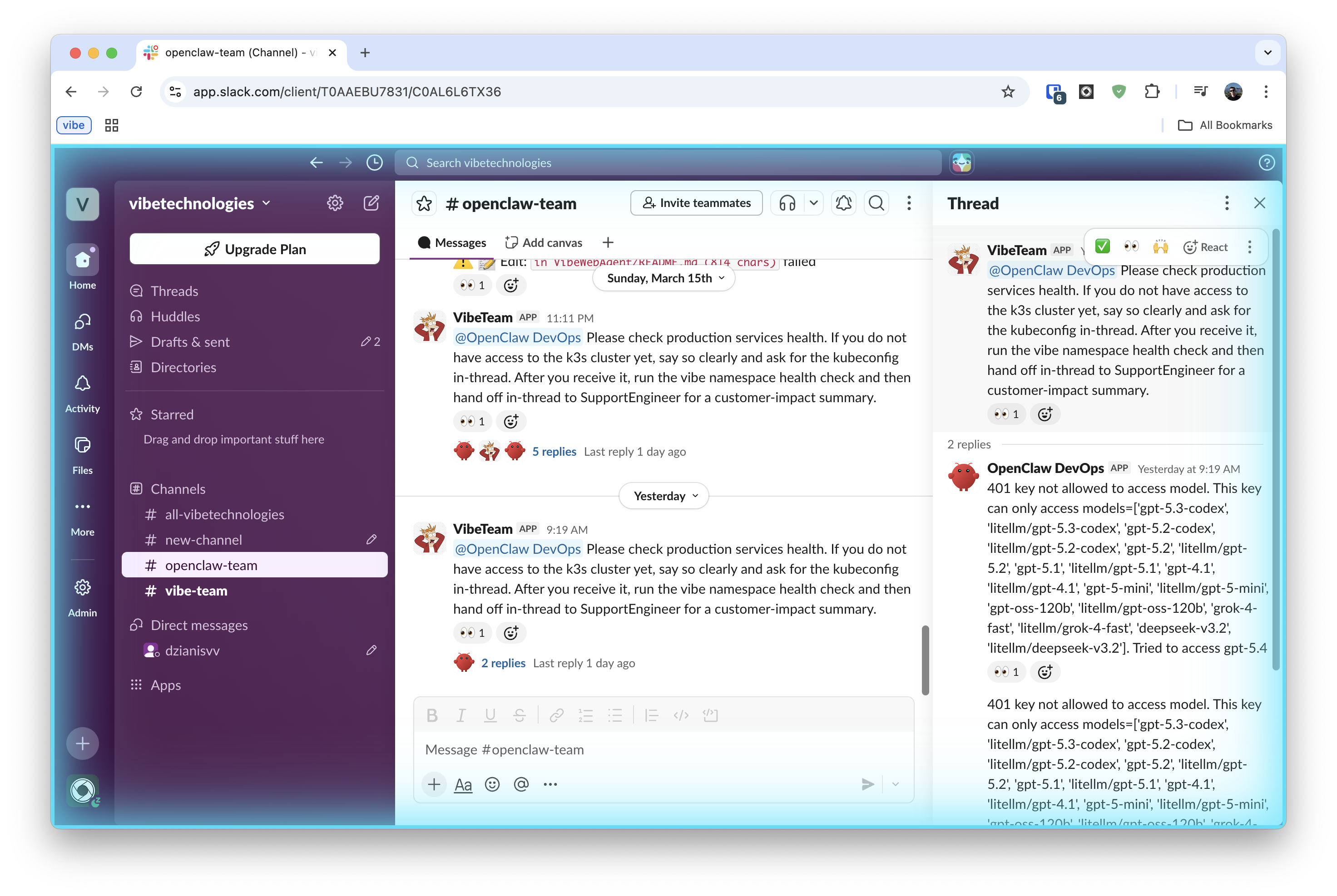
We use separate Slack apps so each role is visible in channels with its own bot identity.
1. Create apps
For each role: api.slack.com/apps -> Create New App -> From scratch.
| Role | Slack app name |
|---|---|
| SoftwareEngineer | OpenClaw SoftwareEngineer |
| DevOpsEngineer | OpenClaw DevOps |
| SupportEngineer | OpenClaw SupportEngineer |
| MarketingManager | OpenClaw MarketingManager |
| GrowthManager | OpenClaw GrowthManager |
| FinManager | OpenClaw FinManager |
2. Add scopes
In OAuth & Permissions -> Bot Token Scopes, use the scopes from the official OpenClaw Slack manifest:
app_mentions:read, assistant:write, channels:history, channels:read,
chat:write, commands, emoji:read, files:read, files:write,
groups:history, groups:read, im:history, im:read, im:write,
mpim:history, mpim:read, mpim:write, pins:read, pins:write,
reactions:read, reactions:write, users:read
3. Enable Socket Mode and store credentials
In Settings -> Socket Mode: toggle on. Then under Basic Information -> App-Level Tokens, generate a token with connections:write scope — this is your appToken (xapp-...).
- save bot token (
xoxb-...) from OAuth & Permissions - save app-level token (
xapp-...) from Basic Information
Socket Mode is the default for OpenClaw. HTTP Request URL mode is also supported but requires a Signing Secret instead of an app token — see the Slack channel docs for that variant.
4. Subscribe to bot events
In Event Subscriptions -> Subscribe to bot events, add:
app_mentionmessage.channelsmessage.groupsmessage.immessage.mpim
With Socket Mode enabled, no Request URL is needed — the gateway connects outbound via WebSocket.
5. Add to OpenClaw config
In openclaw.json, add a named Slack account per role:
{
  "channels": {
    "slack": {
      "accounts": {
        "support-engineer": {
          "botToken": "xoxb-...",
          "appToken": "xapp-..."
        },
        "devops-engineer": {
          "botToken": "xoxb-...",
          "appToken": "xapp-..."
        }
      }
    }
  }
}
Then DM each bot and confirm it replies.
Slack free plans allow up to 10 installed apps. With role-per-app design, this limit matters quickly.
GitHub integration: one GitHub App per role
We keep GitHub identities separate so audit logs and PR comments are role-accurate.
1. Create app
For each role at github.com/organizations/<ORG>/settings/apps/new:
- App name: e.g.
OpenClawSoftwareEngineer - Webhook URL:
https://<your-gateway>/team/api/github/events?token=<TEAM_TOKEN> - Webhook secret:
openssl rand -hex 32
2. Set app permissions
| Permission | Access |
|---|---|
| Issues | Read & Write |
| Pull requests | Read & Write |
| Metadata | Read-only |
Webhook events:
issue_commentpull_request_reviewpull_request_review_comment
3. Generate private key
In app settings -> Private keys -> Generate a private key (.pem download).
4. Install app
Install to selected repos and note the installation ID.
5. Add to OpenClaw config
Store the app credentials in openclaw.json. The exact config shape depends on the OpenClaw skills that handle GitHub — typically the skill reads GITHUB_APP_ID, GITHUB_PRIVATE_KEY, and GITHUB_INSTALLATION_ID from the agent sandbox environment.
For the cloud-managed AgentPod product, paste the App ID, Installation ID, and private key into the console — it handles the env injection.
Identity check: open a DM with the agent and ask it to comment on a test issue. Confirm the comment appears under the app's bot identity.
Sentry integration: shared visibility, role-specific action
Sentry is used by SupportEngineer, SoftwareEngineer, and DevOpsEngineer for different parts of the loop.
1. Create token
sentry.io/settings/auth-tokens with:
| Scope | Purpose |
|---|---|
project:read |
Project and issue reads |
project:releases |
Release operations via CLI |
event:read |
Event and stack data |
org:read |
Org metadata |
2. Add env vars in tenant
SENTRY_AUTH_TOKENSENTRY_ORGSENTRY_PROJECT
3. Role usage
SupportEngineer example:
curl -sS "https://sentry.io/api/0/projects/$SENTRY_ORG/$SENTRY_PROJECT/issues/?query=is:unresolved&sort=date&limit=5" \
  -H "Authorization: Bearer $SENTRY_AUTH_TOKEN"
SoftwareEngineer uses the sentry-response skill for fix + PR + resolve.
DevOpsEngineer uses Sentry plus kubectl for incident correlation.
Linear integration: GraphQL only
Linear is the work queue for implementation and infra follow-through.
1. Create key
linear.app/settings/api -> create a personal API key.
For multi-user production environments, use OAuth app credentials instead.
2. Optional webhook setup
mutation {
  webhookCreate(input: {
    url: "https://<your-gateway>/team/api/linear/events?token=<TEAM_TOKEN>"
    resourceTypes: ["Issue", "Comment", "IssueLabel"]
    allPublicTeams: true
  }) {
    success
    webhook { id enabled }
  }
}
3. Use API
Linear API endpoint is https://api.linear.app/graphql.
Agents create and update issues through GraphQL mutations/queries.
Model routing: GPT-5.3-Codex and Grok-4.1 by risk profile
| Profile | Default model | Why |
|---|---|---|
| SupportEngineer | GPT-5.4 | Customer-facing replies need judgment and careful escalation |
| GrowthManager | Grok-4.1 | High-volume, lower-risk workflow throughput |
| SoftwareEngineer | GPT-5.3-Codex (xhigh reasoning) | Deep code reasoning for PRs and bug analysis |
| DevOpsEngineer | GPT-5.3-Codex (xhigh reasoning) | Infra mistakes are expensive; requires careful multi-step analysis |
| FinManager | GPT-5.4 (high reasoning) | Accounting accuracy and tax doc correctness cannot be wrong |
| MarketingManager | Grok-4.1 | Drafting/distribution speed matters most |
Simple rule: use the stronger model where mistakes create customer or production risk.
Operating rules we care about
- Named ownership. Every task has one role owner.
- Escalate early. Low confidence or high risk always goes to a human.
- Ship artifacts, not opinions. For engineering work that means issue, PR, and deploy evidence.
- Protect customer trust. Correct response beats fast-but-wrong response.
Part 3 — Putting it together
With integrations wired up, every role has its own Slack identity, its own GitHub/Sentry/Linear access, and a model matched to its risk profile. The handoff matrix in AGENTS.md ties it all together: when one role finishes its part, it explicitly transfers ownership to the next.
Here is what that looks like in practice.
Example workflow: complaint -> fix -> customer confirmation
- SupportEngineer receives billing complaint via Gmail.
- SupportEngineer verifies the charge and processes refund.
- SupportEngineer escalates with user ID, charge IDs, and repro details.
- DevOpsEngineer checks Sentry + logs and confirms where failure happened.
- SoftwareEngineer implements patch and opens PR with tests.
- DevOpsEngineer validates rollout and post-deploy Sentry status.
- SupportEngineer sends final customer confirmation.
That full loop is the core metric for this setup.
Hire the team — invite them to your Slack
We turned this exact setup into a product.
AgentPod lets you hire a team of agents — SupportEngineer, DevOpsEngineer, SoftwareEngineer, GrowthManager, MarketingManager, FinManager — and invite them into your Slack workspace in minutes. No infrastructure to manage. No prompt engineering from scratch. The roles, skills, handoff rules, and integrations (GitHub, Sentry, Linear, Gmail, Google Drive) are pre-configured and ready to run.
It works like adding a new hire:
- Go to agentpod.agentlabs.cc
- Pick the roles you need
- Connect your tools (one OAuth flow per integration)
- Invite the bot to your Slack channel
- Tag
@SupportEngineer,@DevOpsEngineer, or whoever owns the task
The same cron scans, heartbeat guards, and handoff matrix described in this post come out of the box. You can customize skills per role from the console once you're in.
If you'd rather self-host, OpenClaw is open source and you can replicate everything here manually.
Should you adopt this architecture?
Use role-based agents if you need predictable cross-functional execution, not just "good answers" in chat.
It is worth the setup when you need:
- reliable customer communication during engineering spikes,
- faster handoffs between support, engineering, and ops,
- concrete engineering outputs (issues, PRs, deploy checks),
- clear human override at high-risk points.
Start with one role and one recurring workflow. Measure loop completion quality before adding more integrations.
References
- AgentPod (hire your agent team)
- Vibe Browser for OpenClaw
- OpenClaw project
- GPT-5.4 support in Vibe
- Grok-4.1 support in Vibe
- GitHub Issues docs
- Linear docs
- Sentry docs
- Gmail developer docs
If you're implementing this, optimize for closed loops and clean ownership before you optimize for agent count.